
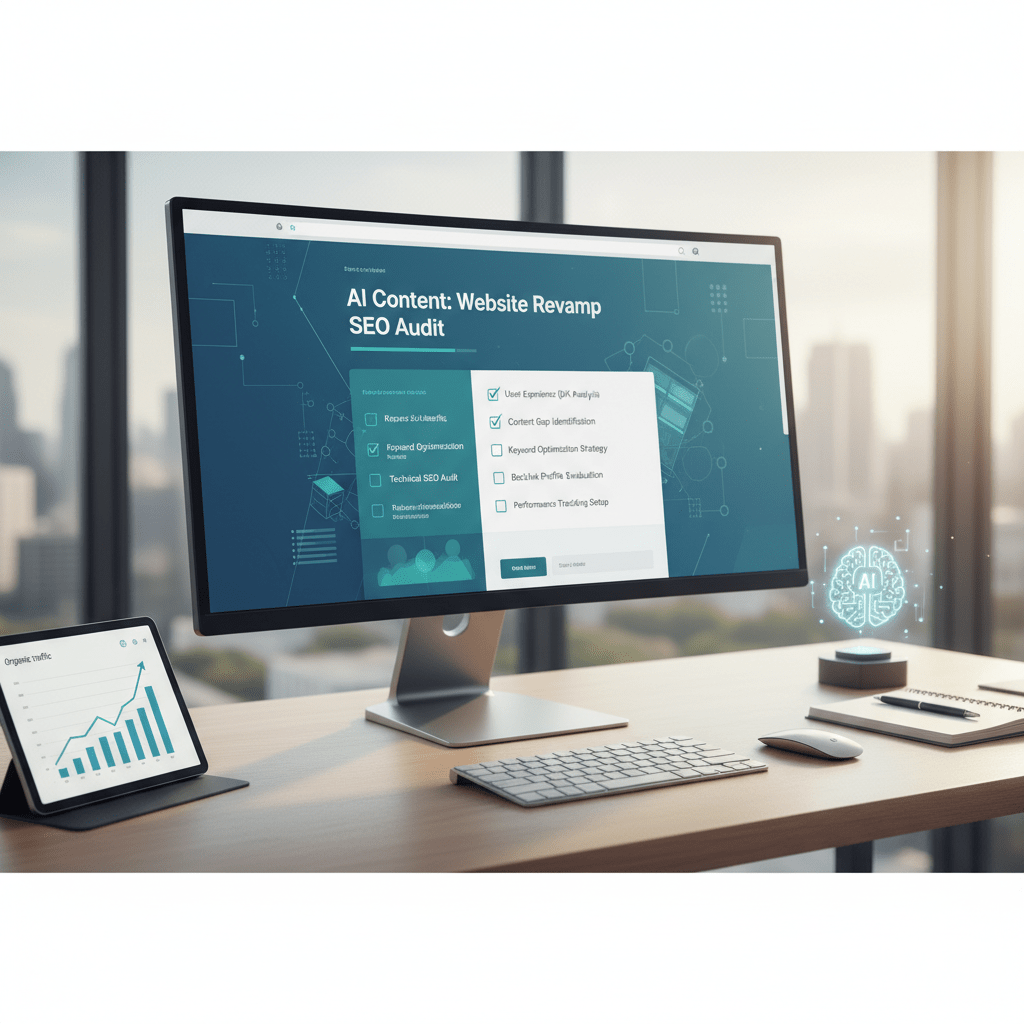
Is Your Website Redesign SEO-Ready? An AI-Powered Checklist
So, you’re gearing up for a website redesign. Exciting, right? A fresh look, improved UX, maybe even a whole new brand identity. But here’s the thing: a beautiful new website is useless if nobody can find it. That’s where SEO comes in, and it’s absolutely critical that you weave it into every step of the redesign process, especially now with the increasing role of AI in both SEO and content creation.
Redesigning a website without a solid SEO strategy is like building a stunning house on a foundation of sand. It might look great at first, but it won’t stand the test of time – or search engine algorithms. In fact, a poorly planned redesign can actually *hurt* your search rankings, leading to a drop in traffic and lost revenue. We don’t want that, do we? This checklist will help you navigate the process, leveraging AI where appropriate, to ensure your new site shines in both design and search.
Pre-Launch: Laying the SEO Foundation (With AI Assistance)
Before you even think about layouts and color palettes, you need to understand your existing SEO landscape. This isn’t just about pretty pictures; it’s about data and strategy. Thankfully, AI tools can significantly speed up and improve this initial phase.
1. Conduct a Thorough SEO Audit
This is your starting point. What’s working on your current site? What isn’t? What are your top-performing pages, and which ones are languishing? An SEO audit identifies the strengths and weaknesses of your existing website so that you can make informed decisions during the redesign process. Consider using AI-powered SEO audit tools. They crawl your site, analyze various factors (like page speed, mobile-friendliness, and on-page optimization), and provide actionable recommendations.
Think of it as a health checkup for your website. You wouldn’t start a new exercise program without knowing your current fitness level, right?
- Crawl your entire site: Use tools like Screaming Frog or Sitebulb.
- Analyze keyword rankings: Identify the keywords you’re currently ranking for and their positions. Tools like Semrush and Ahrefs are invaluable.
- Assess backlinks: See who’s linking to your site and the quality of those links.
- Evaluate site speed: Page load time is a critical ranking factor. Use Google’s PageSpeed Insights.
- Check mobile-friendliness: Ensure your site is responsive and provides a good user experience on mobile devices.
2. Keyword Research (Evolved with AI)
Keyword research isn’t just about finding high-volume keywords; it’s about understanding user intent. What are people *really* searching for when they land on your site? How are they phrasing their queries? AI-powered keyword research tools can help you uncover hidden opportunities and identify long-tail keywords you might have missed.
AI goes beyond just spitting out a list of keywords. It analyzes search patterns, understands semantic relationships, and predicts future trends. This allows you to target not just what people are searching for *now*, but what they *will* be searching for in the future. Consider tools that leverage natural language processing (NLP) to understand the context and intent behind search queries. This is especially important if you plan to use AI to generate content as part of your AI website content strategy.
- Identify relevant keywords: Use tools like Google Keyword Planner, Semrush, and Ahrefs.
- Analyze competitor keywords: See what keywords your competitors are targeting.
- Focus on long-tail keywords: These are longer, more specific phrases that often have lower competition and higher conversion rates.
- Understand user intent: What are people *really* looking for when they search for these keywords?
3. Content Inventory and Strategy
What content will you keep? What will you update? What will you delete or consolidate? This is a crucial step that often gets overlooked. Don’t just blindly migrate your existing content to the new site. Instead, take the time to evaluate each page and determine its value. AI can help you analyze content performance, identify gaps, and generate new content ideas. You can use tools to analyze existing content for relevance, readability, and keyword density. This helps you prioritize content updates and identify opportunities to improve its SEO performance.
Think of it as decluttering your digital house. Get rid of the stuff you don’t need and organize the rest in a way that’s both aesthetically pleasing and functional.
- Inventory all existing content: Create a spreadsheet of all your pages, blog posts, and other content.
- Analyze content performance: Use Google Analytics and Google Search Console to see which pages are driving the most traffic and conversions.
- Identify content gaps: What topics are you *not* covering that your audience is interested in?
- Develop a content strategy: Plan what new content you’ll create and how you’ll optimize it for SEO.
Consider how SEO-ready content with automated topic rotation will play a role in your new website design.
4. URL Structure Planning
This is *way* more important than you might think. A well-structured URL is easy for both users and search engines to understand. It also helps improve your site’s crawlability and can even boost your keyword rankings. Keep URLs short, descriptive, and consistent.
Think of your URL structure as the address system for your website. A clear and logical address makes it easier for visitors (and search engines) to find their way around. Avoid using special characters, underscores, or unnecessary numbers. Use hyphens to separate words.
- Keep URLs short and descriptive: Use keywords where appropriate, but don’t stuff them.
- Use a logical hierarchy: Reflect the structure of your website.
- Use hyphens to separate words: Avoid underscores or other special characters.
- Avoid unnecessary numbers or parameters: Keep URLs clean and simple.
5. 301 Redirect Mapping
This is absolutely crucial! If you’re changing your URL structure, you *must* implement 301 redirects. This tells search engines that the old URL has permanently moved to a new location. Failing to do so can result in lost traffic and a significant drop in rankings.
301 redirects are like forwarding addresses for your website. They ensure that anyone who tries to access an old page is automatically redirected to the correct new page. This is essential for preserving your SEO equity and preventing broken links. Consider tools that can automatically map and implement redirects based on URL changes.
- Map all old URLs to their new equivalents: Create a spreadsheet of all your redirects.
- Implement 301 redirects: Use your web server’s configuration file (e.g., .htaccess for Apache) or a plugin.
- Test your redirects: Make sure they’re working correctly.
During the Redesign: Building for SEO Success
Now that you have a solid foundation, it’s time to build the actual website. But remember, SEO isn’t an afterthought. It needs to be integrated into every aspect of the design and development process.
6. Mobile-First Design
In 2026, this isn’t optional; it’s mandatory. Google indexes websites based on their mobile versions, so your site *must* be mobile-friendly. Ensure your new design is responsive and provides a seamless user experience on all devices. Test your site on different screen sizes and browsers.
Think of your mobile site as your primary website. It should be just as functional and visually appealing as your desktop site. In fact, many users will only ever interact with your site on their mobile devices, so it’s crucial to make a good impression.
- Use a responsive design framework: This will automatically adjust your site’s layout to fit different screen sizes.
- Optimize images for mobile: Reduce file sizes to improve page load time.
- Use a mobile-friendly navigation menu: Make it easy for users to find what they’re looking for on small screens.
- Test your site on different devices: Make sure it looks and works well on smartphones and tablets.
7. Site Speed Optimization
Page load time is a critical ranking factor. The faster your site loads, the better your chances of ranking high in search results. Optimize images, leverage browser caching, and minimize HTTP requests. Consider using a content delivery network (CDN) to improve site speed for users in different geographic locations.
Slow websites are like traffic jams. They frustrate users and make them want to leave. Aim for a page load time of under 3 seconds. The reality is that every second counts!
- Optimize images: Compress images without sacrificing quality.
- Leverage browser caching: Store static assets in the user’s browser to reduce load time.
- Minimize HTTP requests: Reduce the number of files your browser has to download.
- Use a content delivery network (CDN): Distribute your site’s content across multiple servers to improve speed.
8. On-Page Optimization
This is where you optimize individual pages for specific keywords. Use your target keywords in your title tags, meta descriptions, headings, and body content. But don’t overdo it! Keyword stuffing can actually hurt your rankings. Focus on creating high-quality, informative content that provides value to your users. You can also look into content optimization AI for on-page SEO success.
Think of on-page optimization as making sure your website is speaking the same language as your target audience. It’s about using the right words in the right places to signal to search engines what your page is about.
- Optimize title tags: Include your target keyword and keep them under 60 characters.
- Write compelling meta descriptions: Summarize your page’s content and encourage users to click.
- Use headings (H1, H2, H3) to structure your content: Use keywords where appropriate.
- Incorporate keywords naturally into your body content: Don’t stuff them!
- Use alt text for images: Describe the image and include relevant keywords.
9. Internal Linking
Internal links help search engines understand the structure of your website and can also improve user engagement. Link to relevant pages within your own site to guide users to more information. Think of internal links as road signs that guide visitors (and search engines) to the most important pages on your site. A solid internal linking strategy will improve site navigation and spread link juice throughout your domain.
For example, you might find it beneficial to link to crafting content systems from related pages on your new site. Or if you discuss content silos, linking to our article on content silos and AI automation would be contextually relevant.
- Link to relevant pages within your own site: Use descriptive anchor text.
- Create a logical site structure: Make it easy for users and search engines to navigate.
- Use a variety of anchor text: Don’t always use the same keyword.
10. Schema Markup
Schema markup is code that you can add to your website to provide search engines with more information about your content. This can help improve your click-through rates and even boost your rankings. Implement structured data markup using Schema.org vocabulary to help search engines understand the context of your content. This can lead to richer search results and improved visibility.
Think of schema markup as providing search engines with a cheat sheet about your website. It tells them exactly what your content is about, who created it, and what it’s for.
- Identify the appropriate schema types for your content: Use Schema.org to find the right markup.
- Implement schema markup on your pages: Use a plugin or add the code directly to your HTML.
- Test your schema markup: Use Google’s Rich Results Test to make sure it’s working correctly.
Post-Launch: Monitoring and Optimization
The redesign is live! But the work isn’t over. You need to monitor your site’s performance and make adjustments as needed. SEO is an ongoing process, not a one-time event.
11. Monitor Your Rankings
Track your keyword rankings to see how your site is performing. Use tools like Google Search Console, Semrush, and Ahrefs. Keep a close eye on your keyword rankings. Are they improving? Are they declining? Identify any issues and address them promptly.
Think of monitoring your rankings as keeping your finger on the pulse of your website. It allows you to see how your site is performing and identify any potential problems.
- Track your target keywords: Use a rank tracking tool.
- Monitor your organic traffic: See how much traffic you’re getting from search engines.
- Analyze your click-through rates: See how often users are clicking on your search results.
12. Analyze Traffic and User Behavior
Use Google Analytics to track your website’s traffic and user behavior. See how users are interacting with your site, which pages they’re visiting, and how long they’re staying. Identify any areas where you can improve the user experience.
Think of Google Analytics as a window into your website. It allows you to see how users are behaving and identify any areas where you can improve.
- Track your traffic sources: See where your traffic is coming from.
- Analyze your bounce rate: See how many users are leaving your site after viewing only one page.
- Track your conversion rates: See how many users are completing your desired actions (e.g., making a purchase, filling out a form).
13. Fix Crawl Errors
Use Google Search Console to identify any crawl errors on your site. Fix these errors as soon as possible to ensure that Google can properly crawl and index your website. Think of crawl errors as roadblocks that prevent search engines from accessing your content. Fixing them is essential for ensuring that your site is properly indexed and ranked.
If you want to scale your content, explore SEO automation for SaaS businesses, as that can help address errors at scale.
- Check Google Search Console regularly: Look for crawl errors and other issues.
- Fix broken links: Replace them with working links.
- Submit your sitemap to Google: Help Google find all the pages on your site.
14. Build High-Quality Backlinks
Backlinks are still a crucial ranking factor. Focus on building high-quality backlinks from reputable websites in your industry. Think of backlinks as votes of confidence from other websites. The more high-quality backlinks you have, the more trustworthy your site will appear to search engines.
You can also explore options like content outreach automation to build more backlinks to your website.
- Create high-quality content that people will want to link to: This is the most effective way to earn backlinks.
- Reach out to other websites and ask them to link to your content: Offer something of value in return.
- Participate in industry forums and discussions: Share your expertise and link to your website where appropriate.
15. Stay Up-to-Date with SEO Best Practices
SEO is constantly evolving. Stay up-to-date with the latest best practices and algorithm updates to ensure that your site remains competitive. Read industry blogs, attend conferences, and follow SEO experts on social media. What worked yesterday might not work today. Staying informed is crucial for long-term SEO success.
Think of SEO as a never-ending game of cat and mouse. Search engines are constantly changing their algorithms, and you need to stay one step ahead. Ongoing education is essential.
Leveraging AI in Your Redesign SEO Strategy
AI isn’t just a buzzword; it’s a powerful tool that can significantly enhance your SEO efforts during a website redesign. We’ve already touched on some ways AI can help, but let’s delve deeper:
- AI-powered SEO audit tools: As mentioned earlier, these tools can quickly identify technical SEO issues and provide actionable recommendations.
- AI-driven keyword research: Discover hidden keyword opportunities and understand user intent with greater accuracy.
- AI content generation: While human oversight is still crucial, AI can assist with creating various types of content, such as blog posts, product descriptions, and meta descriptions. You can even explore AI-powered content to improve UX and conversions.
- AI-based link building: Identify potential link partners and automate outreach efforts.
- AI-powered rank tracking: Monitor your keyword rankings and identify any issues promptly.
Common Redesign SEO Mistakes to Avoid
Even with the best intentions, it’s easy to make mistakes during a website redesign. Here are some common pitfalls to avoid:
- Failing to implement 301 redirects: As mentioned earlier, this is a critical mistake that can result in lost traffic and rankings.
- Ignoring mobile-friendliness: In 2026, this is simply unacceptable.
- Neglecting site speed optimization: Slow websites frustrate users and hurt your rankings.
- Forgetting about on-page optimization: Use your target keywords in your title tags, meta descriptions, headings, and body content.
- Ignoring internal linking: Link to relevant pages within your own site to guide users and search engines.
- Not monitoring your rankings: Track your keyword rankings to see how your site is performing.
- Deleting content without a plan: Make sure to assess content value before deleting it.
- Launching the new site without proper testing: Thoroughly test your site before going live to ensure that everything is working correctly.
Final Thoughts
A website redesign is a major undertaking, but it’s also a fantastic opportunity to improve your SEO and attract more organic traffic. By following this checklist and leveraging the power of AI, you can ensure that your new site is both beautiful and search engine friendly. So, what are you waiting for? Get started today!