

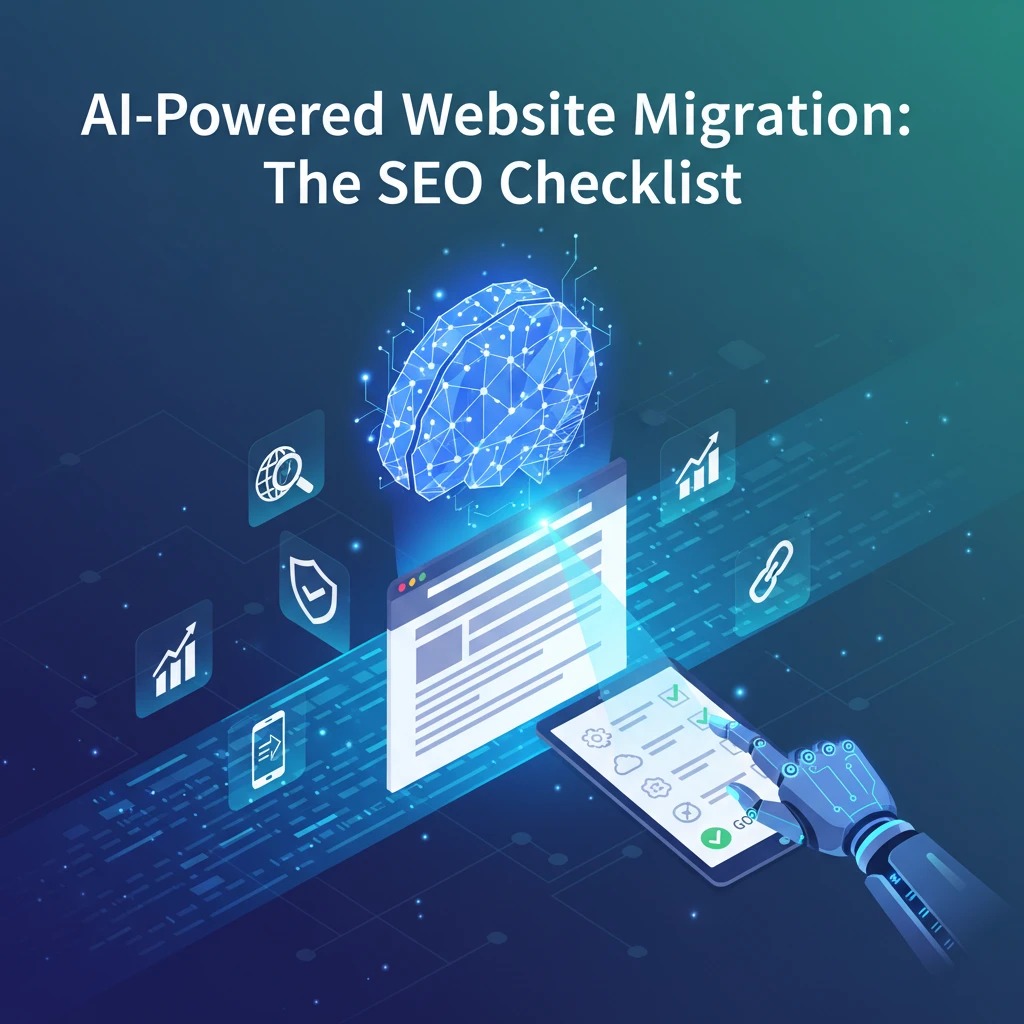
Website migrations are notoriously complex endeavors, fraught with potential SEO pitfalls. A poorly executed migration can lead to significant traffic loss, ranking drops, and a damaged online reputation. In 2026, however, businesses are increasingly leveraging the power of artificial intelligence to streamline the migration process, minimize risks, and even improve their SEO performance.
This guide explores how AI-powered tools are transforming website migrations, offering a comprehensive checklist for ensuring a smooth transition while safeguarding and enhancing your search engine visibility. By automating key tasks, identifying potential problems, and providing data-driven insights, AI helps businesses navigate the complexities of website migrations with greater confidence and efficiency, ensuring your content systems remain effective even after a major platform shift.
Why AI is Revolutionizing Website Migrations (Beyond Basic Automation)
Traditional Migration Challenges: Data Loss, Downtime, and SEO Setbacks
Traditional website migrations are often plagued by manual processes and human error. Data loss during the transfer, prolonged downtime affecting user experience and crawlability, and SEO setbacks due to broken links and incorrect redirects are common challenges. Identifying and addressing these issues manually is time-consuming and resource-intensive. For example, a website with thousands of pages could take weeks to crawl and audit, and the chances of missing critical errors are high. The lack of comprehensive data analysis before, during, and after the migration makes it difficult to predict and mitigate potential SEO risks, leading to significant ranking drops and lost revenue.
The AI Advantage: Intelligent Crawling, Automated Redirect Mapping, and Risk Mitigation
AI offers a powerful solution to these challenges by automating many of the critical tasks involved in a website migration. AI-powered crawlers can intelligently analyze your existing website, identifying all crawlable URLs, content assets, and metadata. AI algorithms can then analyze this data to automatically generate redirect mapping, minimizing broken links and ensuring a smooth transition for users and search engines. Furthermore, AI can predict and mitigate potential SEO risks by identifying high-value pages and backlinks that require special attention. Consider an e-commerce website migrating platforms; AI can analyze product page performance to prioritize redirecting the most popular items, preserving their existing rankings and traffic.
Pre-Migration: AI-Powered SEO Audit & Inventory Checklist
Automated Website Crawl & Indexing: Identify All Crawlable URLs
Before any migration, a complete inventory of your existing website is crucial. AI-powered website crawlers can automatically discover and index all crawlable URLs, including pages, images, and other assets. This includes identifying orphaned pages or content hidden from standard navigation. The crawler output should be exportable to a spreadsheet for further analysis. Decision criteria: prioritize crawlers that can handle large websites quickly and accurately, and that provide detailed reports on crawl errors and warnings. Pitfalls: overlooking dynamically generated URLs or content behind forms can lead to indexing issues post-migration. Actionable step: configure the AI crawler with appropriate user-agent settings and crawl delay to avoid overloading the server.
Content Audit with AI: Assess Quality, Relevancy, and Duplicate Content Issues
An AI-powered content audit goes beyond simple keyword analysis. It assesses the quality, relevancy, and uniqueness of your existing content. AI can identify thin content, duplicate content issues, and outdated information. It can also analyze content for readability and engagement, providing insights for improvement during the migration process. Decision criteria: look for AI tools that can analyze content semantically and provide actionable recommendations for improvement. Pitfalls: relying solely on keyword density metrics can lead to inaccurate assessments of content quality. Actionable step: use AI to identify and flag content that needs to be rewritten or removed before the migration. Consider how this could affect your web design funnel. Example: AI flags 20% of blog posts as thin content. The action is to rewrite them or consolidate them into fewer, higher-quality posts.
Backlink Analysis: Identify High-Value Links to Preserve and Redirect Properly
Backlinks are a critical ranking factor. Before migrating, use AI to analyze your backlink profile and identify high-value links. This allows you to prioritize redirecting pages that have a significant number of backlinks, preserving link equity. AI can also help identify potentially toxic backlinks that may need to be disavowed. Decision criteria: Choose an AI tool that integrates with reputable backlink databases and provides accurate metrics on link authority and toxicity. Pitfalls: failing to account for referring domain diversity can lead to an overestimation of backlink value. Actionable step: create a spreadsheet mapping high-value backlinks to their corresponding target URLs on the new website. Example: AI identifies 50 referring domains with a domain rating of 70 or higher. These domains will be prioritized when setting up redirects.
Keyword Performance Tracking: Baseline Rankings for Target Keywords Before the Move
Establishing a baseline of your current keyword rankings is essential for measuring the success of the migration. Use AI-powered keyword tracking tools to monitor your rankings for target keywords before, during, and after the migration. This will allow you to quickly identify any ranking drops and take corrective action. Decision criteria: select a keyword tracker that provides daily ranking updates and supports multiple search engines and locations. Pitfalls: only tracking branded keywords can mask potential issues with organic rankings. Actionable step: track a diverse set of keywords, including branded, non-branded, and long-tail keywords. Example: Track the ranking of “AI content automation” and related keywords before, during, and after the migration to see the impact.
Planning Phase: AI-Driven URL Mapping and Redirect Strategy
Utilizing AI for Intelligent URL Mapping Suggestions
AI excels at suggesting intelligent URL mappings based on content similarity and semantic analysis. Instead of relying solely on exact URL matches, AI can understand the context of the content and suggest the most appropriate redirect, even if the URL structure changes. This ensures that users and search engines are directed to the most relevant page on the new website. Decision criteria: Evaluate AI tools that offer customizable matching algorithms and allow for manual overrides. Pitfalls: Over-reliance on automated suggestions without human review can lead to incorrect redirects. Actionable step: Train the AI model with examples of correct URL mappings to improve its accuracy. For insight into how AI improves the user experience of your website, see the post on AI-Powered UX for Higher Rankings.
Setting up 301 Redirects: Prioritizing High-Traffic and High-Authority Pages
301 redirects are the standard way to permanently redirect users and search engines from old URLs to new ones. Prioritize setting up 301 redirects for high-traffic and high-authority pages to preserve their ranking power. AI can help identify these pages based on traffic data, backlink profiles, and other SEO metrics. Decision criteria: prioritize tools that can automatically generate 301 redirect rules and integrate with your web server’s configuration. Pitfalls: using temporary redirects (302s) instead of permanent redirects (301s) can negatively impact SEO. Actionable step: verify that all 301 redirects are correctly implemented and that they point to the most relevant page on the new website. Example: Page A has a Domain Authority of 60 and gets 1000 visits per month. It is vital that Page A gets properly redirected to the correct page on the new site.
Creating a Comprehensive Redirect Map: Avoiding Broken Links and 404 Errors
A comprehensive redirect map is essential for avoiding broken links and 404 errors after the migration. AI can automate the creation of this map by analyzing your existing website structure and suggesting appropriate redirects for each URL. Regularly test the redirect map to ensure that all redirects are working correctly. Decision criteria: Choose tools that offer comprehensive reporting on redirect status and can identify broken links. Pitfalls: Failing to account for URL case sensitivity can lead to redirect errors. Actionable step: Regularly test the redirect map using a website crawler and fix any broken links or incorrect redirects. Example: Use Screaming Frog or similar tools to crawl the old site AFTER the migration, and fix any 404s that appear. This will help ensure that users and search engines are always directed to the correct page.
Technical SEO Considerations: Optimizing for Crawlability and Indexability
Reviewing and Updating Robots.txt: Ensuring Search Engines Can Crawl the New Site
The robots.txt file controls which parts of your website search engines are allowed to crawl. Before launching the new website, review and update the robots.txt file to ensure that search engines can crawl and index the important pages. AI can help identify any unnecessary disallows that may be blocking search engines from accessing critical content. Decision criteria: Use a robots.txt validator to check for syntax errors and ensure that the file is correctly formatted. Pitfalls: accidentally disallowing important pages or sections of the website can severely impact SEO. Actionable step: Use the Google Search Console URL Inspection tool to test whether specific pages are accessible to Googlebot. Example: The robots.txt file inadvertently disallowed the /blog/ directory. Remove this disallow directive to allow Google to crawl the blog posts.
XML Sitemap Generation & Submission: Guiding Search Engines Through the Site Structure
An XML sitemap provides search engines with a roadmap of your website’s structure. Generate a new XML sitemap for the new website and submit it to search engines through Google Search Console and Bing Webmaster Tools. AI can automate the generation of the XML sitemap, ensuring that it includes all important pages and excludes any irrelevant or duplicate content. Decision criteria: Choose tools that can automatically generate XML sitemaps and compress them for faster loading. Pitfalls: including broken links or redirected URLs in the sitemap can negatively impact SEO. Actionable step: Validate the XML sitemap using a sitemap validator to ensure that it is correctly formatted and free of errors. You can even use AI to help with keyword research to optimize the sitemap content.
Optimizing Site Speed: Leveraging AI for Image Optimization and Code Minification
Site speed is a crucial ranking factor. Optimize the site speed of the new website by leveraging AI for image optimization and code minification. AI can automatically compress images without sacrificing quality and minify CSS and JavaScript code to reduce file sizes. Decision criteria: prioritize tools that offer lossless image compression and advanced code minification techniques. Pitfalls: Over-compressing images or minifying code can break the website’s functionality. Actionable step: Test the website’s performance using Google PageSpeed Insights and identify areas for improvement. Remember, SEO is closely related to site speed; this is covered in the post about the website speed optimization blueprint. Example: Use an AI-powered image optimizer to reduce the size of all images on the website by 30% without noticeable quality loss. AI-powered WordPress can simplify these processes.
Content Migration: Maintaining Relevance and Avoiding Penalties
AI-Powered Content Adaptation: Optimizing Content for the New Design and Platform
When migrating content to a new website design or platform, maintaining relevance is paramount. AI can assist in adapting existing content to fit the new layout and user experience. For example, an AI can analyze the new site’s structure and suggest optimal placement for various content blocks, ensuring they align with the overall user flow. Furthermore, AI can rewrite headings and subheadings to better match the new site’s target keywords, identify areas where content is lacking, and even generate new content to fill those gaps. This can involve adjusting image sizes and formats, reformatting text for different screen sizes, and adding internal links to relevant pages. A key decision criterion is the balance between automation and human oversight. Aim for AI to handle repetitive tasks, while expert content editors ensure quality and accuracy are maintained. An example would be using AI to create a first draft of revised headings, then having an editor refine them for tone and brand consistency.
Addressing Duplicate Content Issues: Implementing Canonical Tags and Avoiding Keyword Cannibalization
Duplicate content can severely impact SEO performance. During a migration, it’s crucial to address this issue proactively. AI can scan the existing and new sites to identify instances of duplicate content. Implementing canonical tags is essential to signal to search engines which version of a page should be indexed. If you are migrating a site and consolidating pages, carefully set up 301 redirects. Additionally, AI can detect keyword cannibalization, where multiple pages target the same keyword, diluting their individual ranking potential. The AI can suggest revising page content and targeting different but related keywords. For example, if both “AI content automation” and “content automation” target the same user intent, the AI might suggest refining the former to focus on a specific industry niche. A pitfall to avoid is relying solely on automated solutions. Human review is necessary to ensure canonical tags are implemented correctly and that keyword targeting is strategically aligned with the overall SEO goals. Using AI for keyword research can inform this process.
Post-Migration SEO Checklist: Verification and Optimization
Monitoring Search Console: Identifying Crawl Errors and Indexing Issues
Post-migration, vigilant monitoring is key. Google Search Console is your first line of defense. Regularly check the “Coverage” report to identify crawl errors (404s, server errors) and indexing issues (pages not indexed, indexed but blocked by robots.txt). Use the “URL Inspection” tool to check if specific URLs are being crawled and indexed correctly. Prioritize fixing critical errors that block search engines from accessing or understanding your content. An AI-powered tool integrated with Search Console can automate this process, flagging potential issues and prioritizing them based on severity. For instance, a sudden increase in 404 errors on pages with high backlinks would trigger an immediate alert. Remember that fixing crawl errors does not always equate to improved rankings; the underlying content quality and relevance still matter. If you are redesigning the site, consider reading up on AI-powered UX to ensure a seamless experience.
Tracking Keyword Rankings: Measuring the Impact of the Migration on Search Visibility
Keyword rank tracking is crucial for gauging the migration’s impact. Monitor your target keywords’ rankings before and after the migration to identify any significant changes. A decline in rankings for key terms could indicate problems with indexing, content relevance, or technical SEO. Conversely, improvements in rankings might suggest the migration has positively impacted your visibility. Use an SEO tool to track your target keywords over time. Pay close attention to both average ranking positions and specific keyword performance. The decision criterion is to identify trends quickly so you can take corrective action. If you see a drop, check for issues like incorrect redirects, lost internal links, or changes in content relevance. Use AI to identify content gaps that might need to be filled based on competitive analysis.
Analyzing Website Traffic: Identifying Drops in Traffic and Potential Problem Areas
Website traffic analysis provides a broader view of the migration’s effects. Monitor traffic sources (organic, direct, referral), landing pages, and user behavior metrics (bounce rate, time on page) to identify any significant changes. A drop in organic traffic is a strong indicator of SEO issues. Analyze which landing pages are experiencing the most significant traffic losses to pinpoint problem areas. Look for correlations between traffic drops and specific events during the migration (e.g., changes to URL structure, content updates). Consider that drops in traffic may also be related to seasonality or changes in search engine algorithms, so avoid jumping to conclusions without thorough investigation. Using AI can greatly help to monitor site changes and analyze the root causes. Using the right content systems can help you to scale up and respond if you face traffic drops. For instance, an AI-powered analytics dashboard can automatically segment traffic data, identify anomalies, and provide insights into potential causes.
AI-Powered Rank Tracking and Anomaly Detection
Using AI to Identify Significant Rank Fluctuations After Migration
Traditional rank tracking often relies on static reports, which can miss subtle but important shifts in keyword performance. AI can enhance rank tracking by identifying significant rank fluctuations in real-time. For example, an AI algorithm can establish a baseline ranking for your target keywords and then monitor for deviations from this baseline. When a keyword’s ranking changes by a predefined threshold (e.g., a drop of 5 positions or more), the AI can trigger an alert. This allows you to react quickly to potential problems. The AI can also analyze the search results page (SERP) for that keyword to identify any factors that might be influencing the ranking change, such as new competitors, featured snippets, or algorithm updates. The pitfall is setting too sensitive a threshold, resulting in frequent false positives. Setting a broader range for “normal fluctuation” helps AI better identify significant issues.
Automating Alerts for Critical SEO Metrics
Beyond rank tracking, AI can automate alerts for other critical SEO metrics, such as crawl errors, indexing issues, and traffic drops. Configure the AI to monitor Search Console, Google Analytics, and other SEO tools for specific events. For example, you can set up an alert to be notified if the number of 404 errors exceeds a certain threshold or if organic traffic drops by a specific percentage. The AI can also provide contextual information about the alert, such as the specific pages affected or the potential causes of the issue. A critical decision point is defining the right thresholds and metrics to monitor. Focus on metrics that are most directly related to your business goals and that are most likely to be affected by the migration. Integrate with other business intelligence tools and workflows.
Understanding Correlation vs. Causation: Pinpointing True Migration-Related Issues
While AI can identify rank fluctuations and other SEO anomalies, it’s crucial to distinguish between correlation and causation. Just because a metric changes after the migration doesn’t necessarily mean the migration is the cause. Other factors, such as algorithm updates, seasonal trends, or competitor activity, could be responsible. AI can help analyze the data to identify potential causal relationships. For example, the AI can compare your website’s performance to that of your competitors to see if they are experiencing similar trends. It can also analyze historical data to identify seasonal patterns. However, human expertise is still required to interpret the data and draw accurate conclusions. Understanding causation from correlation can also be improved by considering AI powered content to grow leads.
Mobile Optimization: Ensuring a Seamless User Experience
Testing Mobile Responsiveness: Ensuring the New Site is Mobile-Friendly
Mobile optimization is no longer optional; it’s essential for SEO success. Use Google’s Mobile-Friendly Test tool to assess the mobile responsiveness of your new website. This tool will identify any issues that could negatively impact the mobile user experience, such as text that is too small to read, content that is wider than the screen, or touch elements that are too close together. Pay close attention to the tool’s recommendations and address any issues promptly. In addition to Google’s tool, test your website on a variety of mobile devices to ensure it looks and functions correctly across different screen sizes and operating systems. Prioritize user experience above all else. Is navigation intuitive? Are forms easy to fill out? Are images optimized for mobile viewing? Ensuring mobile responsiveness is critical for user engagement and SEO.
Optimizing for Page Speed on Mobile Devices: Leveraging AI for Image Compression and Code Optimization
Page speed is a critical ranking factor, especially on mobile devices. Use Google’s PageSpeed Insights tool to measure your website’s performance on mobile. This tool will provide recommendations for improving page speed, such as optimizing images, minifying code, and leveraging browser caching. AI can automate many of these optimization tasks. For example, AI-powered image compression tools can automatically reduce the size of images without sacrificing quality. AI can also minify HTML, CSS, and JavaScript code by removing unnecessary characters and whitespace. However, be careful when automating code optimization. Always back up your code before making any changes, and test thoroughly to ensure that the changes don’t break your website. Use tools such as AI Website Speed Optimization Blueprint to help guide you.
Content Migration: Maintaining Relevance and Avoiding Penalties
AI-Powered Content Adaptation: Optimizing Content for the New Design and Platform
Content migration is a critical aspect of any website redesign or platform change. AI can help adapt your content to the new design and platform. AI-powered tools can automatically reformat text, resize images, and adjust layouts to fit the new design. They can also identify and fix broken links, ensuring that your content remains accessible and user-friendly. AI can also help update internal linking structures to reflect the new website architecture. Ensure that all content is relevant and up-to-date. Consider using AI keyword tools to analyze existing content and identify opportunities for improvement. Update outdated information, add new keywords, and improve the overall quality of your content.
Addressing Duplicate Content Issues: Implementing Canonical Tags and Avoiding Keyword Cannibalization
Duplicate content can negatively impact your search engine rankings. Ensure that you don’t have duplicate content across your old and new sites. Use canonical tags to tell search engines which version of a page is the preferred one. Identify and address keyword cannibalization issues. This occurs when multiple pages on your website target the same keywords, competing with each other for rankings. Use AI-powered SEO tools to identify keyword cannibalization issues and optimize your content accordingly. Consider merging or rewriting content to eliminate overlap and improve your website’s overall SEO performance.
Post-Migration SEO Checklist: Verification and Optimization
Monitoring Search Console: Identifying Crawl Errors and Indexing Issues
After migrating your website, closely monitor Google Search Console for crawl errors and indexing issues. This will help you identify any problems that could prevent search engines from crawling and indexing your new website. Pay attention to errors such as 404 errors, soft 404 errors, and server errors. Fix these errors promptly to ensure that your website is fully accessible to search engines. Submit your sitemap to Google Search Console to help search engines discover and index your new website more quickly.
Tracking Keyword Rankings: Measuring the Impact of the Migration on Search Visibility
Track your keyword rankings to measure the impact of the migration on your search visibility. Use keyword tracking tools to monitor your rankings for important keywords before and after the migration. If you notice any significant drops in rankings, investigate the cause and take corrective action. This could involve optimizing your content, fixing technical SEO issues, or building new backlinks.
Analyzing Website Traffic: Identifying Drops in Traffic and Potential Problem Areas
Analyze your website traffic to identify any drops in traffic and potential problem areas. Use Google Analytics to monitor your website’s traffic before and after the migration. If you notice any significant drops in traffic, investigate the cause and take corrective action. Look for trends and patterns to identify areas where your website is underperforming. Consider using AI to analyze website traffic data and identify opportunities for improvement.
AI-Powered Rank Tracking and Anomaly Detection
Using AI to Identify Significant Rank Fluctuations After Migration
AI-powered rank tracking tools can detect significant rank fluctuations post-migration, far more efficiently than manual monitoring. These tools use algorithms to analyze historical ranking data and identify deviations from the norm. When a significant drop or gain in rankings is detected for important keywords, the AI system can trigger an alert, allowing you to investigate the cause immediately.
Automating Alerts for Critical SEO Metrics
Beyond rank tracking, AI can automate alerts for a wide range of critical SEO metrics. This includes changes in organic traffic, crawl errors, indexing status, and even backlink profiles. By setting thresholds for these metrics, you can receive notifications whenever there’s a significant deviation from the expected range. This proactive approach helps you identify and address potential SEO issues before they have a major impact on your website’s performance.
Understanding Correlation vs. Causation: Pinpointing True Migration-Related Issues
While AI can identify anomalies and rank fluctuations, it’s crucial to remember the difference between correlation and causation. A drop in rankings shortly after migration doesn’t automatically mean the migration is the cause. External factors like algorithm updates or competitor activity could also be responsible. AI can assist in this process by analyzing multiple data points and identifying potential correlations, but human expertise is needed to determine the true cause-and-effect relationship. This requires careful investigation and a deep understanding of SEO principles. By combining AI-driven insights with human analysis, you can effectively pinpoint true migration-related issues and take the necessary steps to address them.
Mobile Optimization: Ensuring a Seamless User Experience
Testing Mobile Responsiveness: Ensuring the New Site is Mobile-Friendly
With the majority of web traffic coming from mobile devices, ensuring your new site is mobile-friendly is paramount. Use Google’s Mobile-Friendly Test tool to check the responsiveness of your pages. This tool identifies any issues with mobile usability, such as text that’s too small to read or elements that are too close together. Address any issues identified to ensure a seamless user experience on mobile devices.
Optimizing for Page Speed on Mobile Devices: Leveraging AI for Image Compression and Code Optimization
Page speed is even more critical on mobile devices due to slower network connections and limited processing power. Leverage AI-powered tools for image compression and code optimization to improve page load times. These tools can automatically compress images without sacrificing quality and optimize code by removing unnecessary characters and whitespace. Consider using a Content Delivery Network (CDN) to cache your website’s content on servers around the world, reducing latency for users in different geographic locations. Faster page speeds improve user engagement and reduce bounce rates.
Content Migration: Maintaining Relevance and Avoiding Penalties
AI-Powered Content Adaptation: Optimizing Content for the New Design and Platform
Migrating content involves more than just moving text and images. It’s an opportunity to revitalize your content and optimize it for the new design and platform. AI can assist in this process by analyzing your existing content and identifying areas for improvement. This includes optimizing headlines, improving readability, and updating information to reflect the latest trends. AI can also suggest new content formats, such as videos or infographics, to engage your audience and improve user experience. By adapting your content to the new environment, you can ensure it remains relevant and continues to attract visitors.
Addressing Duplicate Content Issues: Implementing Canonical Tags and Avoiding Keyword Cannibalization
Duplicate content can negatively impact your SEO performance and lead to penalties from search engines. Ensure that all your content is unique and original. If you have similar content on multiple pages, use canonical tags to tell search engines which version is the preferred one. Canonical tags help consolidate link equity and prevent search engines from penalizing your website for duplicate content. Also, avoid keyword cannibalization by targeting different keywords on different pages. Keyword cannibalization occurs when multiple pages on your website compete for the same keywords, diluting your SEO efforts. AI tools can help you identify and address these issues by analyzing your content and suggesting ways to optimize it for different keywords.
Post-Migration SEO Checklist: Verification and Optimization
Monitoring Search Console: Identifying Crawl Errors and Indexing Issues
After the migration, closely monitor Google Search Console for any crawl errors or indexing issues. This is essential for ensuring that Google can properly crawl and index your new website. Look for errors such as 404 pages (not found), 500 errors (server errors), and blocked pages. Address these issues promptly to prevent them from impacting your search visibility. Search Console provides valuable insights into how Google sees your website, allowing you to identify and fix any potential problems. Regularly check the “Coverage” report to monitor the number of indexed pages and identify any issues that may be preventing pages from being indexed.
Tracking Keyword Rankings: Measuring the Impact of the Migration on Search Visibility
Track your keyword rankings to measure the impact of the migration on your search visibility. Use a rank tracking tool to monitor your rankings for your target keywords before and after the migration. A drop in rankings could indicate that there are issues with your migration or that you need to further optimize your website for search engines. If you notice a decline in rankings, investigate the possible causes and take corrective action. This may involve updating your content, improving your site structure, or addressing technical SEO issues. By monitoring your keyword rankings, you can quickly identify and address any potential problems that may arise after the migration.
Analyzing Website Traffic: Identifying Drops in Traffic and Potential Problem Areas
Analyze your website traffic to identify any drops in traffic and potential problem areas. Use Google Analytics to monitor your traffic sources, landing pages, and user behavior. A significant drop in traffic could indicate that there are issues with your migration or that you need to further optimize your website for search engines. Identify which pages are experiencing the biggest drops in traffic and investigate the possible causes. This may involve checking for broken links, optimizing your content, or improving your site structure. By analyzing your website traffic, you can quickly identify and address any potential problems that may arise after the migration and ensure that your website continues to attract visitors.
AI-Powered Rank Tracking and Anomaly Detection
Using AI to Identify Significant Rank Fluctuations After Migration
Traditional rank tracking tools provide valuable data, but AI takes it a step further by identifying significant rank fluctuations that might indicate problems stemming from the migration. AI algorithms can analyze historical ranking data and establish baseline performance. After the migration, AI can detect unusual deviations from this baseline, signaling potential SEO issues that require immediate attention. This early warning system allows you to address problems proactively and minimize any negative impact on your search visibility.
Automating Alerts for Critical SEO Metrics
Manually monitoring SEO metrics can be time-consuming and prone to human error. AI can automate this process by setting up alerts for critical SEO metrics, such as organic traffic, keyword rankings, and even backlink profiles. By setting thresholds for these metrics, you can receive notifications whenever there’s a significant deviation from the expected range. This proactive approach helps you identify and address potential SEO issues before they have a major impact on your website’s performance.
Understanding Correlation vs. Causation: Pinpointing True Migration-Related Issues
While AI can identify anomalies and rank fluctuations, it’s crucial to remember the difference between correlation and causation. A drop in rankings shortly after migration doesn’t automatically mean the migration is the cause. External factors like algorithm updates or competitor activity could also be responsible. AI can assist in this process by analyzing multiple data points and identifying potential correlations, but human expertise is needed to determine the true cause-and-effect relationship. This requires careful investigation and a deep understanding of SEO principles. By combining AI-driven insights with human analysis, you can effectively pinpoint true migration-related issues and take the necessary steps to address them.
Mobile Optimization: Ensuring a Seamless User Experience
Testing Mobile Responsiveness: Ensuring the New Site is Mobile-Friendly
With the majority of web traffic coming from mobile devices, ensuring your new site is mobile-friendly is paramount. Use Google’s Mobile-Friendly Test tool to check the responsiveness of your pages. This tool identifies any issues with mobile usability, such as text that’s too small to read or elements that are too close together. Address any issues identified to ensure a seamless user experience on mobile devices.
Optimizing for Page Speed on Mobile Devices: Leveraging AI for Image Compression and Code Optimization
Page speed is even more critical on mobile devices due to slower network connections and limited processing power. Leverage AI-powered tools for image compression and code optimization to improve page load times. These tools can automatically compress images without sacrificing quality and optimize code by removing unnecessary characters and whitespace. Consider using a Content Delivery Network (CDN) to cache your website’s content on servers around the world, reducing latency for users in different geographic locations. Faster page speeds improve user engagement and reduce bounce rates.
Content Migration: Maintaining Relevance and Avoiding Penalties
AI-Powered Content Adaptation: Optimizing Content for the New Design and Platform
Content migration is a crucial aspect of any website migration. AI can play a significant role in adapting your existing content to the new design and platform. For instance, AI can automatically adjust image sizes, optimize text formatting, and even suggest improvements to content structure to enhance readability and engagement. By analyzing user behavior data, AI can also identify content that performs well and recommend strategies for optimizing underperforming content. This ensures that your content remains relevant and effective on the new website.
Addressing Duplicate Content Issues: Implementing Canonical Tags and Avoiding Keyword Cannibalization
Duplicate content is a common issue that can arise during website migrations. AI can help identify instances of duplicate content and suggest solutions, such as implementing canonical tags to indicate the preferred version of a page. Furthermore, AI can analyze your content for keyword cannibalization, where multiple pages target the same keywords, diluting their ranking potential. By identifying and addressing these issues, you can avoid penalties from search engines and ensure that your content is properly indexed and ranked.
Post-Migration SEO Checklist: Verification and Optimization
Monitoring Search Console: Identifying Crawl Errors and Indexing Issues
After the migration is complete, it’s essential to closely monitor Google Search Console for any crawl errors or indexing issues. This allows you to identify and address any problems that may be preventing your site from being properly indexed by search engines. Search Console provides valuable data on crawl errors, mobile usability issues, and security problems. Regularly check these reports to ensure that your site is performing as expected.
Tracking Keyword Rankings: Measuring the Impact of the Migration on Search Visibility
Tracking keyword rankings is crucial for measuring the impact of the migration on your search visibility. Use SEO tools to monitor your rankings for target keywords and identify any significant drops in rankings. If you notice a decline in rankings, investigate the cause and take corrective action. This may involve optimizing your content, improving your site’s structure, or addressing any technical issues that may be affecting your rankings.
Analyzing Website Traffic: Identifying Drops in Traffic and Potential Problem Areas
Analyze your website traffic using tools like Google Analytics to identify any drops in traffic or potential problem areas. Compare traffic data before and after the migration to assess the overall impact on your site’s performance. Look for significant declines in traffic to specific pages or sections of your website. Investigate the cause of these declines and take steps to address any issues that may be affecting your traffic.
Handling International SEO Considerations
Hreflang Tag Implementation: Ensuring Proper Targeting for Different Languages and Regions
If your website targets multiple languages or regions, proper hreflang tag implementation is crucial. During an AI-powered migration, ensure the AI accurately identifies and transfers all existing hreflang tags to the new site. Moreover, the AI should be used to validate the existing implementation for errors such as incorrect language codes, self-referencing errors, or missing return tags. Failing to properly implement hreflang can lead to Google serving the wrong language version to users, negatively impacting user experience and rankings in international markets.
Decision Criteria: When validating hreflang tags, prioritize URLs with high organic traffic and conversion rates in each language. The AI should be trained to identify and flag any discrepancies between the declared language and the actual content language on the page. Pay close attention to the x-default tag, which specifies the fallback page when no other language or region matches a user’s preferences. Ensure this tag points to the most appropriate neutral version of your site.
Actionable Steps: Before migration, use an SEO crawler to identify all pages with hreflang tags and export the data. After migration, use a different crawler to verify the new site matches the exported data. Use tools like ahrefs or Semrush to identify hreflang issues. Train the AI to flag pages where the language declared in the hreflang tag doesn’t match the page content. A well-structured content system, especially when aided by AI, can help ensure consistency across different language versions of the site.
Redirecting International Users to the Correct Language Version
Beyond hreflang tags, ensure your AI-powered migration accurately transfers any existing geo-redirection rules. These rules automatically redirect users to the appropriate language or regional version of your site based on their IP address. While geo-redirection can improve user experience, it’s essential to implement it correctly to avoid confusing search engines. Always provide users with the option to manually select their preferred language or region, regardless of their IP address. Overly aggressive geo-redirection can be seen as cloaking, which is a violation of Google’s Webmaster Guidelines.
Decision Criteria: Analyze your website analytics to determine which countries and languages contribute the most traffic and conversions. Prioritize the correct implementation of geo-redirection for these key markets. Consider using a cookie-based system to remember users’ language preferences, so they aren’t repeatedly redirected.
Actionable Steps: Document all existing geo-redirection rules before the migration. After the migration, test these rules thoroughly using VPNs and by manually changing your browser’s language settings. Ensure that users in different regions are correctly redirected to the appropriate language version of your site, but also have a clear and accessible way to override the redirection if needed. If you use AI to determine language preferences, use clear explanations and transparency for the end user.
Security & HTTPS: A Critical Component of the Migration
Verifying SSL Certificate Installation and Configuration
HTTPS is no longer optional; it’s a ranking factor and a fundamental requirement for user trust. During an AI-powered website migration, ensuring your SSL certificate is correctly installed and configured is paramount. The AI should verify that the certificate is valid, issued by a trusted Certificate Authority, and covers all subdomains, if applicable. It should also check for mixed content errors, where some resources are loaded over HTTP while the main page is served over HTTPS. These errors can compromise security and negatively impact user experience.
Decision Criteria: Choose an SSL certificate that meets your website’s needs. For basic websites, a standard single-domain SSL certificate may suffice. For e-commerce sites or those handling sensitive user data, consider an Extended Validation (EV) SSL certificate, which provides a higher level of assurance. If you have multiple subdomains, a wildcard SSL certificate is the most efficient option. Prioritize configurations that allow for the latest TLS protocols for encryption.
Actionable Steps: Before the migration, note the type of SSL certificate and its expiration date. After the migration, use online SSL checker tools to verify the certificate is correctly installed and configured. Implement automated monitoring to detect any SSL certificate issues, such as expiration or revocation, as they can affect SEO.
Enforcing HTTPS Across the Entire Site
Once the SSL certificate is installed, enforce HTTPS across your entire site by implementing 301 redirects from HTTP to HTTPS versions of all pages. The AI can be used to automatically create these redirects, but it’s crucial to verify their accuracy. Ensure that all internal links are updated to use HTTPS and that your .htaccess file (or equivalent server configuration) is correctly configured to force HTTPS. Search engines prioritize HTTPS versions of pages, so failing to enforce HTTPS can lead to duplicate content issues and lower rankings.
Decision Criteria: Determine the best method for implementing HTTPS redirects based on your server configuration. The most common approach is using .htaccess on Apache servers, but other options include using your hosting provider’s control panel or implementing redirects in your website’s code. Consider using HSTS (HTTP Strict Transport Security) to instruct browsers to always access your site over HTTPS.
Actionable Steps: Use the AI to generate 301 redirects from HTTP to HTTPS URLs. Check .htaccess file. Verify that all internal links, images, stylesheets, and JavaScript files are loaded over HTTPS. Use a tool like Screaming Frog to crawl your site and identify any remaining HTTP resources. Update your sitemap to include only HTTPS URLs and resubmit it to search engines.
Updating Internal Links to Use HTTPS
After enforcing HTTPS, updating internal links is a crucial step to signal to search engines that the HTTPS version is the canonical one. The AI can automate the process of finding and replacing HTTP internal links with their HTTPS counterparts. Additionally, update any hardcoded URLs in your website’s code or database to use HTTPS. Failing to update internal links can create a mixed content environment, which can harm your site’s security and SEO.
Actionable Steps: Use a website crawler to identify all internal links that use HTTP. Use a find and replace tool in your website’s database or content management system to update these links to HTTPS. Test your website thoroughly to ensure that all internal links are working correctly. If using AI tools to generate content, verify the links are HTTPS.
Common AI Migration Pitfalls (and How to Avoid Them)
Over-Reliance on AI: Human Oversight and Verification are Still Essential
While AI can automate many aspects of a website migration, it’s crucial to remember that AI is a tool, not a replacement for human expertise. Over-relying on AI without proper oversight and verification can lead to errors, inconsistencies, and ultimately, a failed migration. The AI may misinterpret data, make incorrect assumptions, or overlook crucial details that a human expert would catch. Think of it like using AI to research keywords – it’s a great starting point, but still requires human analysis.
Decision Criteria: Identify areas where human expertise is most critical, such as validating hreflang tag implementation, reviewing redirect rules, and testing the website’s functionality. Assign specific tasks to human team members and establish clear communication channels between the AI and the human team. Prioritize the user experience over strict automation. It is important that AI assists, but doesn’t completely replace a qualified webmaster.
Actionable Steps: Establish a clear workflow that involves both AI automation and human verification. Train your team on how to effectively use AI tools and how to identify and correct errors. Implement quality assurance checks at each stage of the migration process. Schedule regular meetings to discuss progress, address challenges, and ensure that the migration is on track. Assign specific users to verify all the output from the AI model is valid. This will help avoid potential ranking issues.
Ignoring User Experience: Prioritizing SEO at the Expense of User Satisfaction
A successful website migration should improve both SEO and user experience. Prioritizing SEO at the expense of user satisfaction can backfire, leading to lower engagement, higher bounce rates, and ultimately, lower rankings. For example, if the AI introduces overly aggressive ad placements or disrupts the website’s navigation, users may become frustrated and leave. Remember, Google’s algorithm prioritizes websites that provide a positive user experience.
Decision Criteria: Before the migration, identify key user journeys and design the new website to enhance these journeys. Consider factors such as website speed, mobile-friendliness, and ease of navigation. Use AI to analyze user behavior and identify areas for improvement.
Actionable Steps: Conduct user testing before and after the migration to gather feedback and identify any usability issues. Monitor key metrics such as bounce rate, time on page, and conversion rates. Use AI-powered analytics tools to track user behavior and identify areas for improvement. Make sure that any website design powered by AI still prioritizes UX fundamentals. Optimizing user experience will drive rankings and conversions.
Failing to Thoroughly Test: Test, Test, and Test Again
Testing is crucial for a successful website migration. Failing to thoroughly test the new website before launch can lead to a range of problems, from broken links and missing images to security vulnerabilities and performance issues. The AI can assist in automating some testing tasks, such as checking for broken links and validating HTML code. However, human testing is also essential to ensure that the website functions correctly and provides a positive user experience.
Actionable Steps: Create a comprehensive testing plan that covers all aspects of the website, including functionality, performance, security, and usability. Use a combination of automated and manual testing methods. Test the website on different browsers, devices, and operating systems. Perform load testing to ensure that the website can handle traffic spikes. Fix all identified issues before launching the new website. Continuous monitoring and testing is important for maintaining a successful website.
AI-powered website migrations offer efficiency, but human oversight and comprehensive testing are vital. Prioritizing user experience alongside SEO considerations ensures a smooth transition and sustained success.